You can delete your Ongoing Games by visiting this page here - https://www.geoguessr.com/me/current
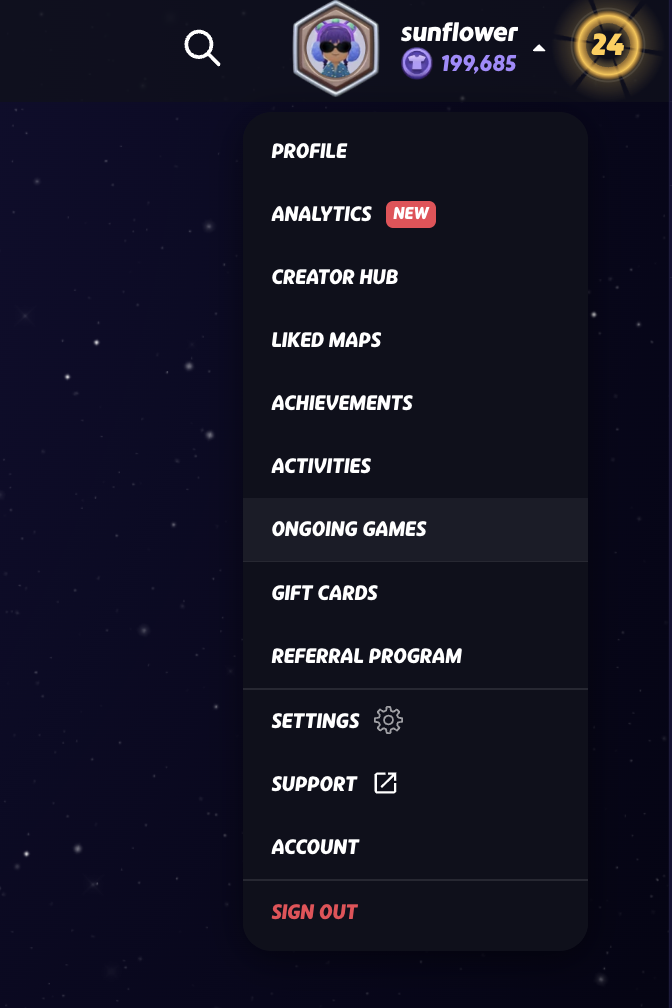
You can also find this page by navigating to the drop down menu bar and selecting 'ongoing games'
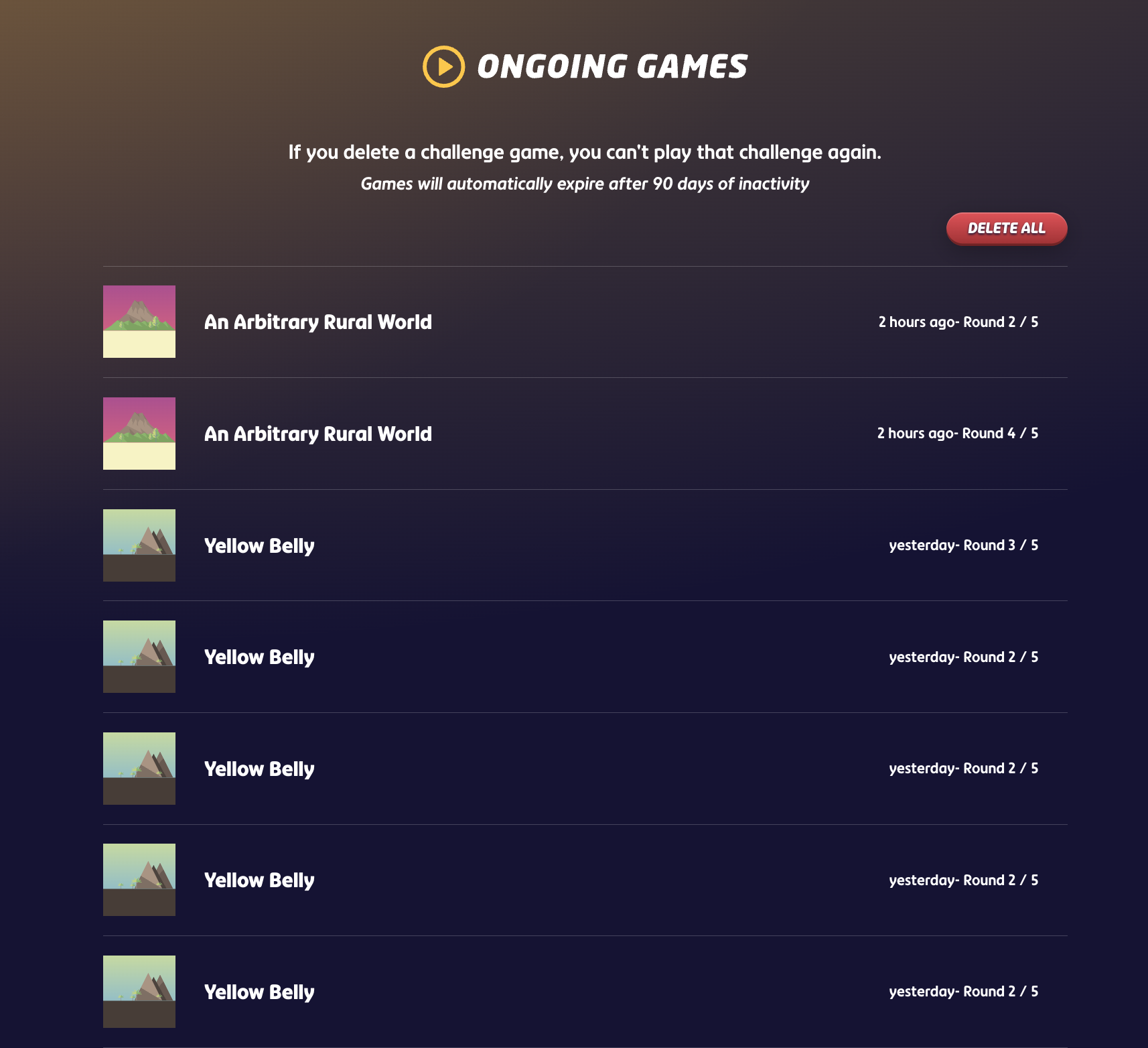
You can either delete all ongoing games by clicking the button at the top of the page, or you can delete specific games by hovering over the one you would like to delete.
Was this article helpful?
That’s Great!
Thank you for your feedback
Sorry! We couldn't be helpful
Thank you for your feedback
Feedback sent
We appreciate your effort and will try to fix the article