If you've cancelled your subscription but it hasn't ended yet, you can reactivate it at any time before your billing period is over.
Steps to reactivate your subscription:
- Log in to your GeoGuessr account
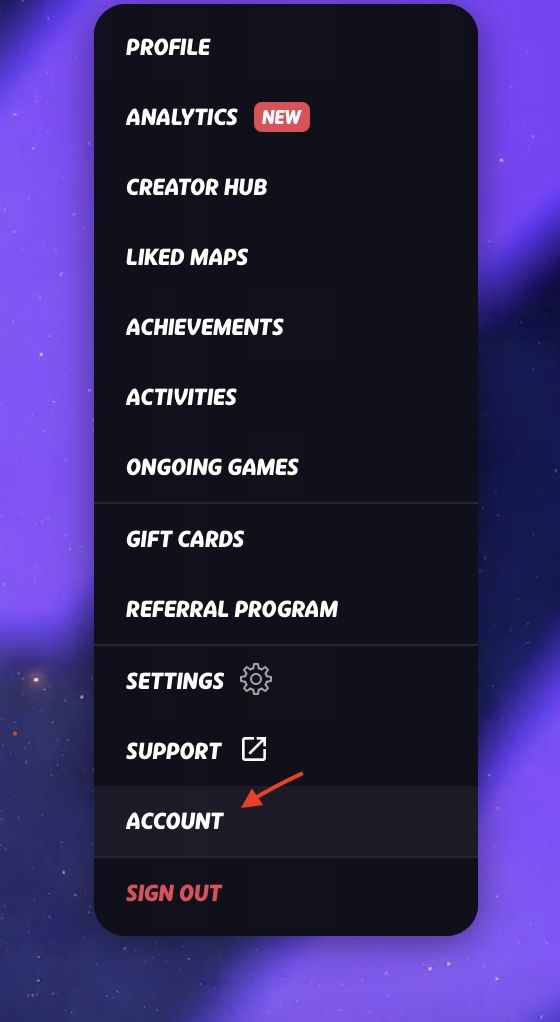
- Hover over your profile icon (top-right)
- Select "Account"
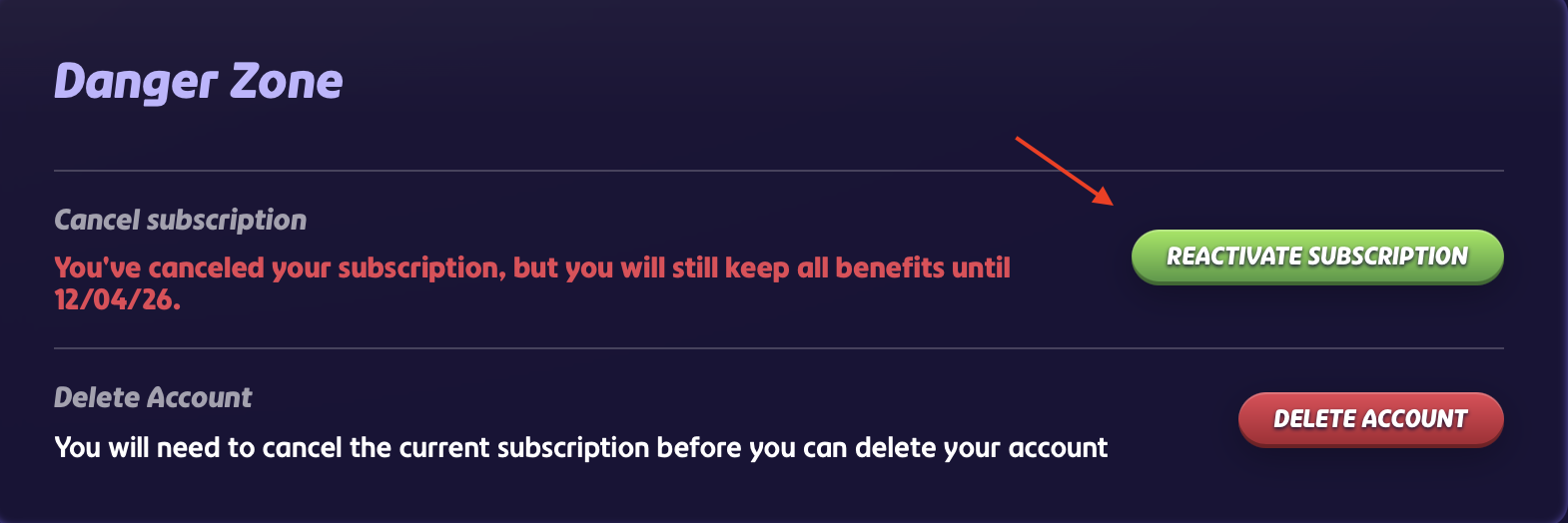
- Scroll down to "Danger Zone"
- Click "Reactivate subscription" and confirm
Notes:
- Your subscription will continue as normal, and you'll be charged on your next billing date.
- You can only reactivate a subscription that is cancelled but still active. Once it has ended, you'll need to subscribe again on the website.
- No reactivate button? Make sure you're logged in to the account that has the subscription (Google, Apple, Facebook or email).
- If you subscribed through the App Store or Google Play, you'll need to manage your subscription there instead.
Was this article helpful?
That’s Great!
Thank you for your feedback
Sorry! We couldn't be helpful
Thank you for your feedback
Feedback sent
We appreciate your effort and will try to fix the article