Steps to cancel your subscription:
- Log in to your account (on the platform you created your account e.g website or mobile app)
- Click your profile icon (top-right)
- Select “Account”
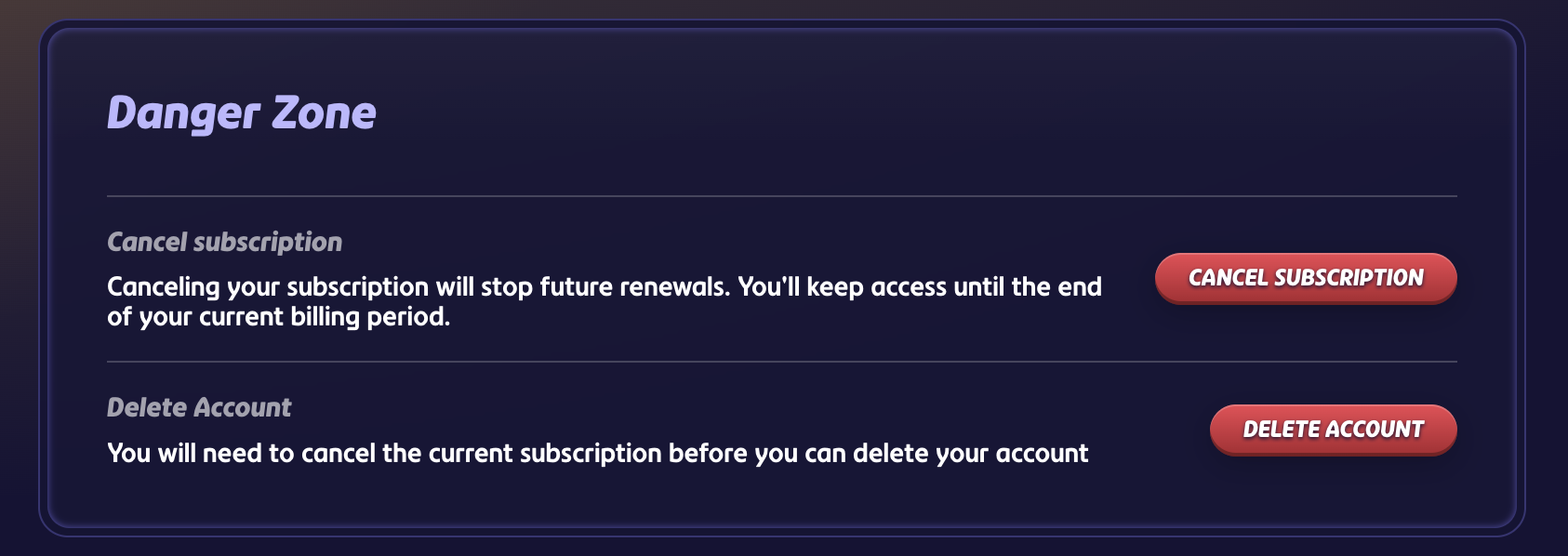
- Scroll to “Danger Zone”
- Click “Cancel subscription” and confirm
Notes:
- You’ll keep access until the end of your billing period
- No cancel button = already canceled
- No subscription shown = try another login (Google/Apple/Facebook)
- Referral benefits and upgrade options are no longer available after cancellation
- If you delete your account before canceling your subscription, your subscription will continue. Please contact Paddle in that case at help@paddle.com or visit their support site.
Was this article helpful?
That’s Great!
Thank you for your feedback
Sorry! We couldn't be helpful
Thank you for your feedback
Feedback sent
We appreciate your effort and will try to fix the article