How to connect your Steam account to GeoGuessr (from Steam):
Launch the GeoGuessr Steam Edition via the Steam Client.
On the main interface, you'll be asked to either create a new account or link an existing one.
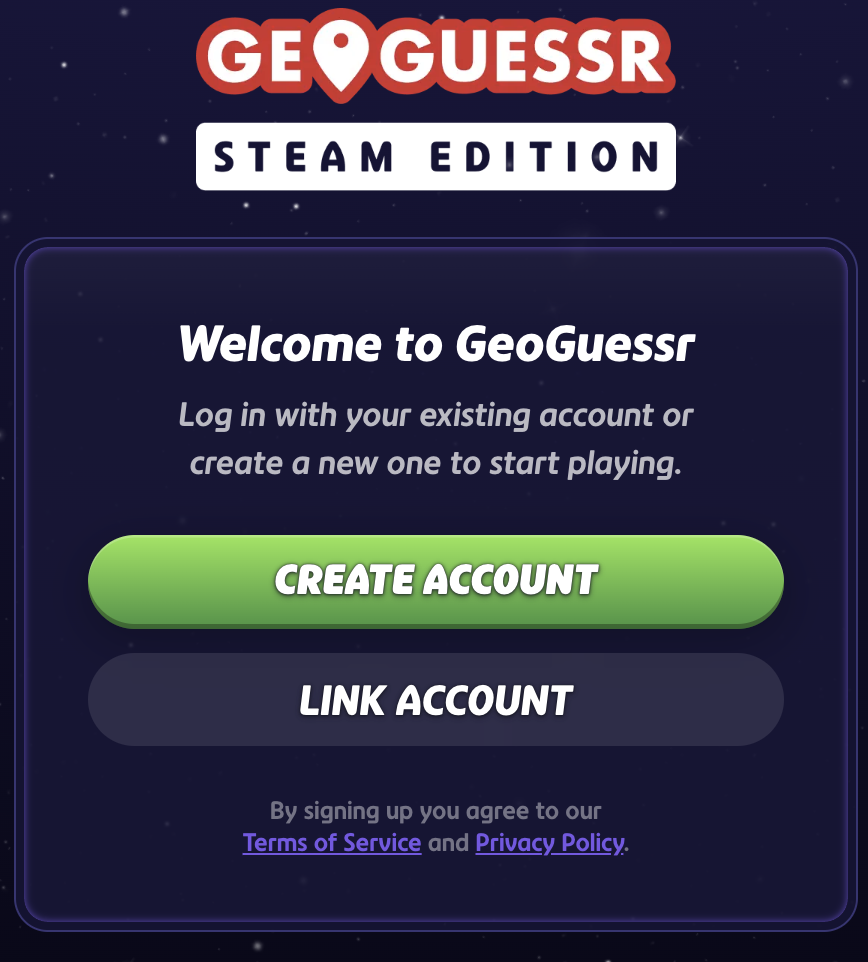
Select “Link Account” — this action will open a browser window.
Sign in using your existing GeoGuessr account (Google, Apple, or email).
After logging in, the accounts will be linked, and your Steam edition will connect to your GeoGuessr profile.
Note:
- The above instructions apply to all players after April 9, 2026
- Linking is only possible once per Steam account — multiple profiles cannot be linked.
- Once linked, your progress and subscription will sync between Steam and the web (if you have an Unlimited or Elite subscription).
Login options before April 9, 2026
If you accessed the Steam Edition prior to April 9, you would have encountered the screen below where you could link an existing web account or create an account through the Steam Edition.

If you opted to create an account using the left option, please be aware:
- Accounts created this way cannot be accessed on the web or mobile versions of GeoGuessr.
- They require the purchase of the Steam Pass to access the paid features on the Steam Edition.
- If you do not have an active Steam Pass, you may delete this account via the game settings and then have the option to create or link a web account instead. (All progress for that account will be lost, and currently, we cannot merge them into web accounts.)
- If you have an active Steam Pass that was purchased within the last 14 days, you can contact the support team for a refund. This will allow you to delete the account created through the Steam Edition, enabling you to link or create a web account instead.
- We are developing a method for users to convert their Steam-created accounts to web accounts in the future.
Was this article helpful?
That’s Great!
Thank you for your feedback
Sorry! We couldn't be helpful
Thank you for your feedback
Feedback sent
We appreciate your effort and will try to fix the article