There could be several reasons for experiencing issues when playing. To help us identify if its a local issue or a bug, please read the following.
Most of these are simple steps to do and do not require technical expertise. You can find help for most of these searching online if needed.
Performance Issues (i.e. lagging, not loading):
If you are experiencing issues with the site not loading properly, slow or laggy animations or other problems that affect the performance of the website, you can try the following:
- Disable any extensions/plugins/scripts you use while playing GeoGuessr.
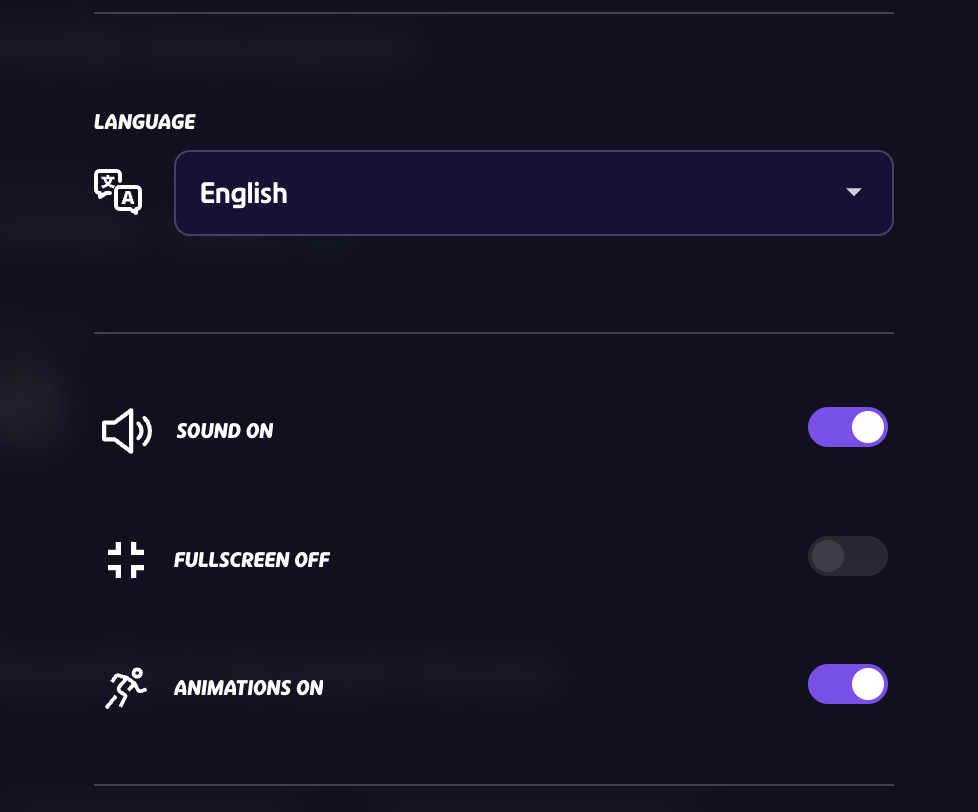
- Disable animations in the games settings (Go to player menu in the top right and navigate to "settings" or press "esc" during a game)
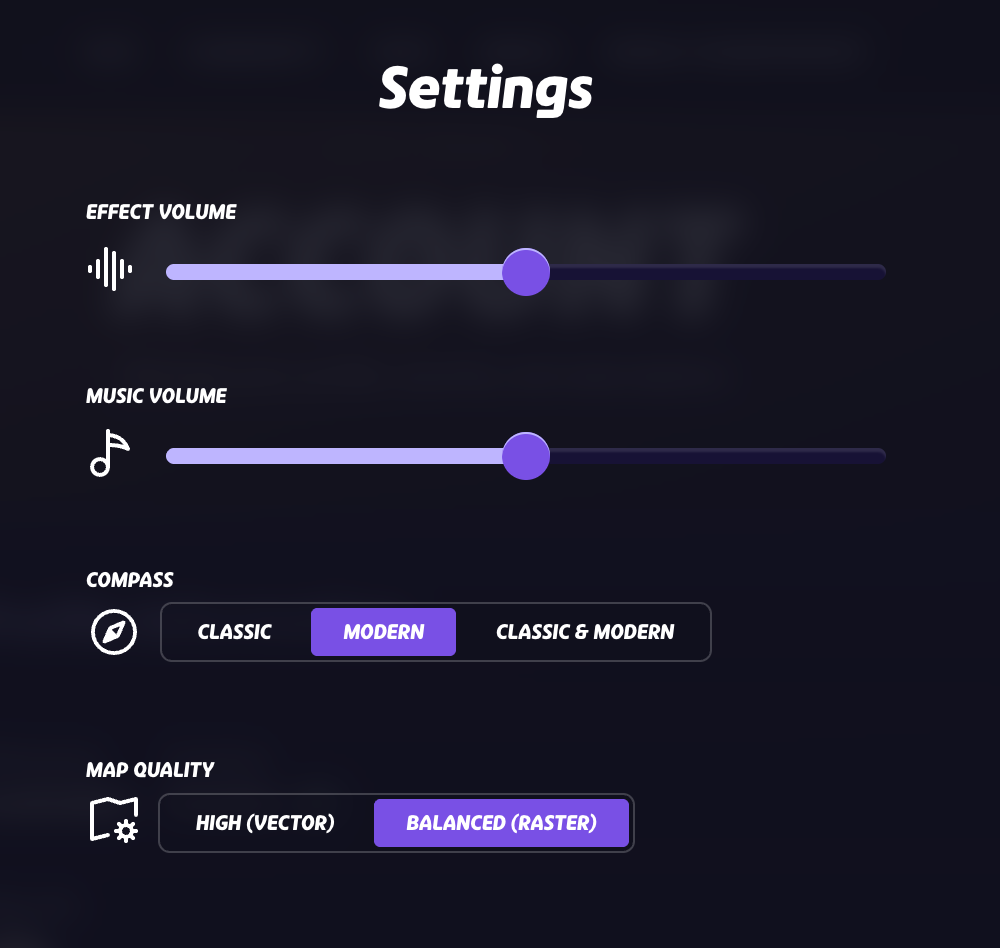
- Change the Map quality in settings from Vector to Raster.
- Try another Device if possible.
- Try another Browser (Google Chrome for instance).
- Try clearing the website's cache and hard reload:
- Press F12
- Right click the reload button next to your URL
- Click Empty Cache and hard Reload
- Try lowering resolution on your device/monitor
- Check to see if you have hardware acceleration enabled for your browser. If it's disabled try enabling it!
Your Guess is not registering/ Issues with Countdown timers:
If you are having issues with:
- Your Guesses not registering despite placing it before the end of the round.
- Round countdown timers not appearing or being too short of a duration (If your opponent has guessed you should have 15 seconds to make your own)
You may be experiencing clock drift. This is when your operating system's time is out of sync with the internet, and can lead to these types of issues. To find out if your are experiencing clock drift:
- Go to time.is to see if your system time is out of sync with the internet time.
- If it is out of sync, try update your device's system time to automatically sync with the internet.
- Check time.is. again to make sure times are synced and play some more matches to see if there are any improvements.
Black screen, white screen, or location issues:
If you are encountering issues where:
- You get a black screen instead of seeing the location.
- Different locations than your opponents during a round.
- Location changing during a round.
Please note that these are not considered bugs, but are common issues related to network connection.
You can report the game on the game summary page, so our team can refund you the lost elo rating. If you need to go back to an old game summary, these game links can either be found under Activities (If it is a active game) or Ongoing Games (In case it is still in progress). There is a limit of 3-games that we can refund a month. Learn more on how to report a game here: How to report an in-game issue
If you are experiencing this issue more often, we recommend following the steps below to help with loading and connection problems:
- Restart your router/modem
- Move closer to the wifi router
- Go to GeoGuessr settings to disable animations
- In GeoGuessr settings, change your map view settings from vector to rastorr
- Pause any background downloads while playing
My Issue is still not solved:
If your issue persist, kindly contact support with a summary of the issue and and steps required to recreate the issue. It would also be helpful to provide the following information:
- Device Type (e.g., Desktop, Laptop, Tablet, Mobile):
- Operating System & Versions (e.g., Windows, macOS, Linux, iOS, Android):
- Browser Type & Version (e.g., Chrome 120, Firefox 115, Edge 105):
- Screen Resolution:
- Graphics Card (if known):
- Any browser extensions/scripts/plugins that are enabled:
- Screenshots or recording of the problem your are encountering
- Link to summary/replay of the game where the issue occurred.
Was this article helpful?
That’s Great!
Thank you for your feedback
Sorry! We couldn't be helpful
Thank you for your feedback
Feedback sent
We appreciate your effort and will try to fix the article